 BuildSheet
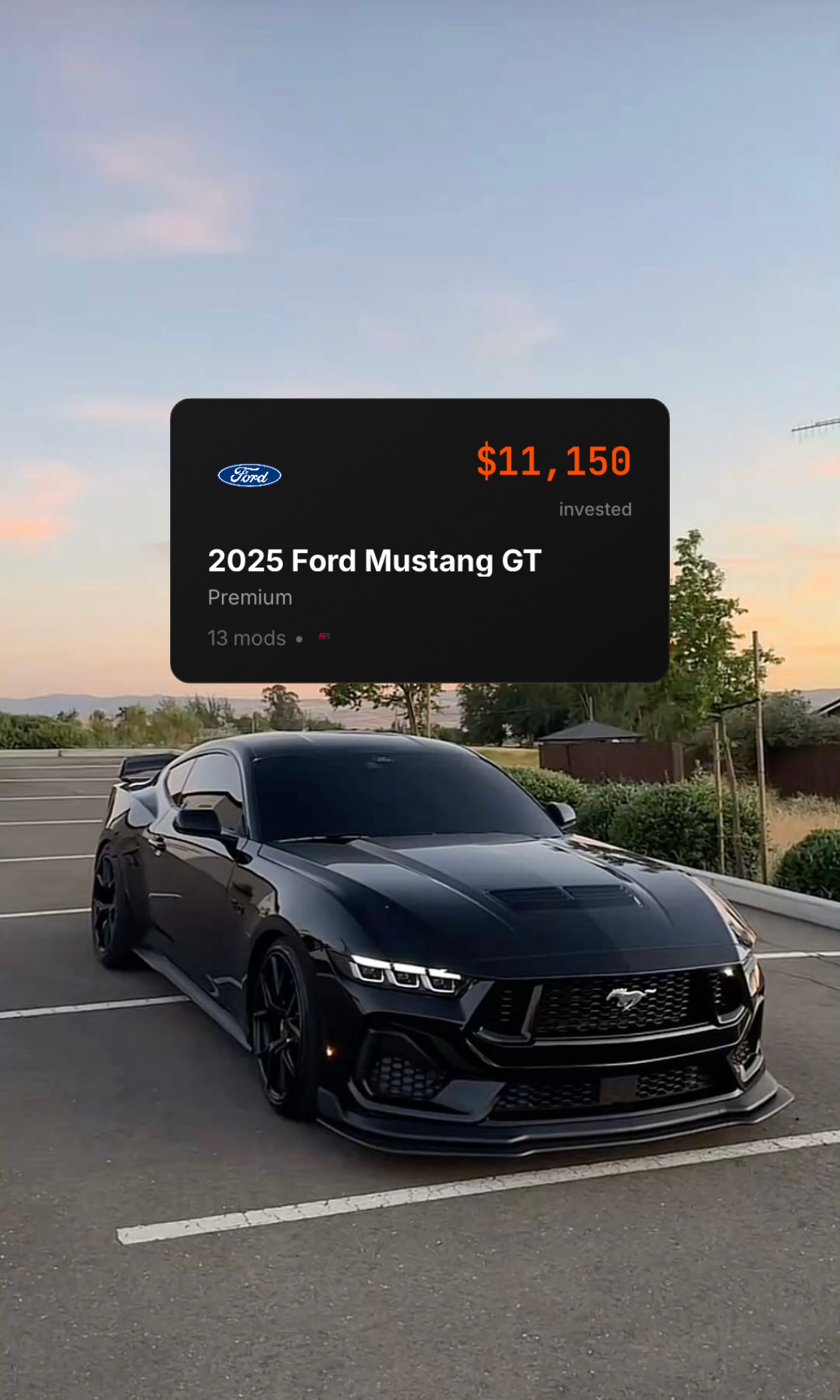
Quick answer: Drivvo is the better app if you want to track fuel economy, schedule routine maintenance, manage operating costs, or organize one or more daily-driven vehicles. BuildSheet is the better app if you are modifying a project car and need to document parts, mods, receipts, photos, costs, and build progress in a way that becomes a clean build sheet you can share or hand to a buyer.
They overlap around expenses and maintenance, but they are built around different jobs. Drivvo is centered on vehicle operation. BuildSheet is centered on the build.
The 30-second comparison
| BuildSheet | Drivvo | |
|---|---|---|
| Built for | Car enthusiasts and project car owners | Daily drivers, work vehicles, and fleets |
| Core focus | Mod tracking, receipts, photos, build documentation, and build-cost visibility | Fuel logs, maintenance, expenses, routes, reminders, reports, and fleet management |
| Platforms | iOS and web | iOS, Android, and web |
| Pricing | Free with Pro tier | Free personal app with in-app purchases, plus fleet trial/product |
| Best fit | Creating a shareable record of what has been built | Understanding what a vehicle costs to operate |
| Weakest area | Not a dedicated fuel-economy or fleet-management tool | Not designed around enthusiast build sheets |
If you can see yourself in either column, you probably already have your answer. If you are somewhere in between, keep reading.
What Drivvo is actually built for
Drivvo positions itself as vehicle and fleet management software for tracking fuel, expenses, maintenance, and vehicle costs. Its public product pages list fuel tracking, expenses, income, services, routes, reminders, checklists, and reports, and its app listings show availability on Android, iOS, and web.
Drivvo is the right app if:
- You are tracking fuel economy across one or more vehicles
- You want maintenance reminders for oil changes, tire service, inspections, and routine work
- You manage family vehicles, rideshare vehicles, work vehicles, or a small fleet
- You want operating-cost reports by date, vehicle, driver, or category
- You are on Android and want a native mobile app today
Where Drivvo is less focused for enthusiasts:
- It is not organized around a first-class "build" object
- Modification spending usually fits into expenses or services instead of a dedicated mod log
- Its reports are built for operating costs, service history, and fleet decisions, not a polished enthusiast build sheet
- Photo and document attachments exist, but the product is not primarily designed around visual build storytelling
If your relationship with your car is "I drive it, maintain it, and want to know what it costs me per mile," Drivvo is a strong fit.
What BuildSheet is actually built for
BuildSheet is built around a different question: what have I built, what did it cost, and how do I show it?
The BuildSheet App Store listing describes mod logging, expense tracking, maintenance reminders, progress photos, build sharing, and build sheet export. Inside the app, the free plan is built for starting with one vehicle, while Pro expands limits and unlocks advanced features.
BuildSheet is the right app if:
- You are modifying a car and want every part, install, receipt, photo, and dollar documented
- You want a build sheet you can share on social, at a meet, or with a potential buyer
- You think about your car as "the build," not just "the vehicle"
- You want cost visibility by mod, category, and vehicle
- You care about how the build is presented, not just the spreadsheet behind it
Where BuildSheet is still maturing:
- It is iOS and web first
- Android users should use the web app or check the current Android app availability
- It is best for one to a few enthusiast vehicles, not a large fleet
- It is not a dedicated fuel-economy analytics app
If your relationship with your car is "this is my project, I am building it, and I want to document the journey," BuildSheet is built for that.
Feature-by-feature breakdown
Modification tracking
BuildSheet: Native focus. Mods, expenses, receipts, photos, categories, notes, and build history all point back to the vehicle and the build sheet.
Drivvo: Modification spending can be logged as expenses or services, but Drivvo is organized more around vehicle operation than a dedicated modification timeline.
Winner: BuildSheet.
Maintenance scheduling
Drivvo: Strong. Drivvo supports service records and reminders by mileage or date, with reporting built around vehicle operation and maintenance history.
BuildSheet: Supports maintenance logs and reminders, including basic free maintenance tracking and expanded Pro limits. Maintenance matters in BuildSheet, but it is not the headline feature.
Winner: Drivvo for pure maintenance management. BuildSheet is enough for many enthusiasts who want maintenance tied to the build record.
Expense tracking
Drivvo: Strong for operating costs. Fuel, insurance, fines, parking, services, income, routes, and reports make sense for someone trying to understand vehicle cost-per-mile or business use.
BuildSheet: Strong for build investment. Expenses are more useful when the question is "what have I spent on this car?" or "what did this mod path actually cost?"
Winner: Depends on the question. Drivvo for operating-cost reports. BuildSheet for build-cost documentation.
Fuel tracking
Drivvo: Clear strength. Drivvo's public listings emphasize refueling logs, fuel consumption, EV/hybrid charging, and cost tracking.
BuildSheet: Not a dedicated fuel-economy tracker. Fuel purchases can be treated as expenses if you want a record, but MPG, station-by-station logs, and fuel analytics are not the core workflow.
Winner: Drivvo.
Photo and build documentation
BuildSheet: Photos are central to the product. Progress photos, build sharing, and build sheet export are part of the core enthusiast workflow.
Drivvo: Supports photos, documents, and receipts on records, but those attachments support vehicle management rather than a polished build presentation.
Winner: BuildSheet.
Social and shareability
BuildSheet: Designed to be shared. The build sheet is the deliverable: a public-facing record of the car, parts, photos, costs, and progress.
Drivvo: Reports and exports are useful, but they are maintenance and cost records, not enthusiast-facing build sheets.
Winner: BuildSheet.
Multi-vehicle and fleet management
Drivvo: Strong. Drivvo has a dedicated fleet product with web, Android, and iOS access, plus drivers, reports, preventive maintenance, checklists, and fleet workflows.
BuildSheet: Supports multiple vehicles with Pro, but the product is designed for personal garages and enthusiast builds rather than fleet operations.
Winner: Drivvo for fleets.
Platform availability
Drivvo: Android, iOS, and web.
BuildSheet: iOS and web publicly, with Android users best served by the web app unless a current Android release is available in their region.
Winner: Drivvo if native Android is required.
Pricing
Both apps are freemium, but the plans are not identical.
Drivvo has a free personal-use app with ads and in-app purchases. Its listed Pro benefits include cloud backup, sync between devices, no ads, and CSV/Excel export. Drivvo also has a separate fleet-management product with a 15-day trial.
BuildSheet is free to start. The current in-app free limits are built around one vehicle, progress photos, basic maintenance, manual expense tracking, and starter AI usage. Pro unlocks unlimited vehicles, unlimited progress photos, AI receipt scanning, AI build planning, AI parts search, unlimited maintenance logs, PDF build sheet exports, custom branded sheets, and priority support.
Cost should not be the main differentiator. Fit matters more. If the thing you care about is fuel and operating-cost reporting, use the app built for that. If the thing you care about is documenting a modified build, use the app built for that.
The honest verdict
These apps are not direct replacements for each other. They solve adjacent problems for adjacent audiences.
Use Drivvo if your car is primarily a tool: a daily driver, a family vehicle, a rideshare vehicle, a work truck, or a fleet asset. It is the better fit for fuel economy, routine service history, reminders, routes, income, and operating-cost reports.
Use BuildSheet if your car is a project: something you are modifying, documenting, photographing, sharing, and eventually explaining to other people. It is the better fit for parts lists, receipts, mod costs, progress photos, and a clean build sheet.
A lot of enthusiasts can justify using both: Drivvo for the daily driver and BuildSheet for the project car. If you are choosing one, ask which question you are trying to answer:
- "What does this vehicle cost me to operate?" Choose Drivvo.
- "What have I built, what did it cost, and how do I show it?" Choose BuildSheet.